
Is your Nespresso machine showing a blinking orange light and leaving you wondering what’s wrong? You’re not alone.
That steady orange blink isn’t just a random signal—it’s your machine’s way of telling you something needs attention. Whether it’s a simple lock handle issue, a blockage, or a need for cleaning, understanding what this light means can save you time and frustration.
Keep reading, and you’ll discover easy, step-by-step fixes to get your Nespresso back to brewing perfect coffee in no time. Don’t let a blinking light stop your coffee ritual—let’s fix it together!
You May Like Best One
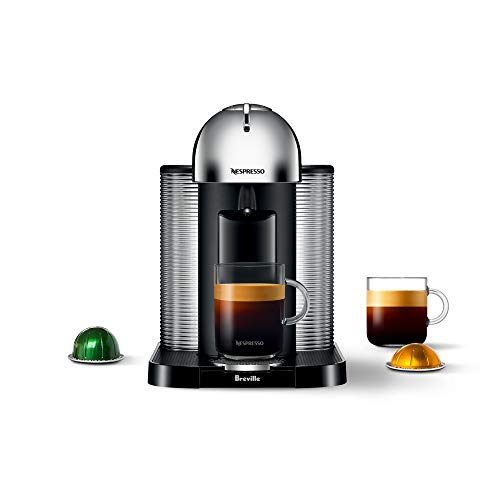
- SINGLE SERVE COFFEE & ESPRESSO MACHINE: Single serve coffee or…
- COFFEE FOR EVERY OCCASION: Brew better coffee at home with Nespresso’s…
- VERSATILE COFFEE MAKER: Brew 4 different cup sizes at the touch of a…
- INCLUDES: One Vertuo Nespresso coffee machine with a large 40 ounce…

- DUAL ESPRESSO & COFFEE MACHINE: Single serve coffee or espresso at the…
- COFFEE FOR EVERY OCCASION: Brew better coffee at home with Nespresso’s…
- VERSATILE COFFEE MAKER: Brew 4 different cup sizes at the touch of a…
- MILK FROTHER MACHINE INCLUDED: The Nespresso Aeroccino3 provides…
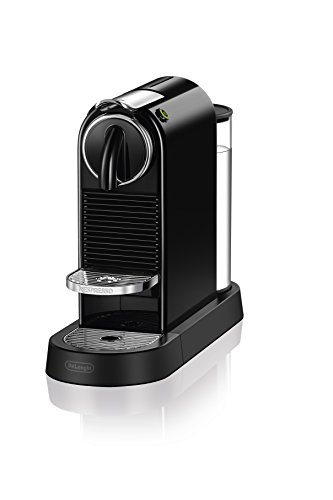
- Design: citiz’s look continues to Please both Espresso drinkers and…
- COMPLIMENTARY GIFT: Each machine includes a Nespresso Original capsule…
- DESIGN: CitiZ’s look continues to please both Nespresso drinkers and…

- Please refer to user guide or user manual or user guide (provided…
- AUTOMATIC COFFEE/ESPRESSO MACHINE: Create barista grade brewed single…
- SMART COFFEE MAKER: Brew the perfect single serve coffee or espresso…
- COFFEE FOR EVERY TASTE: Bold or mild, hot or iced, there’s a blend…
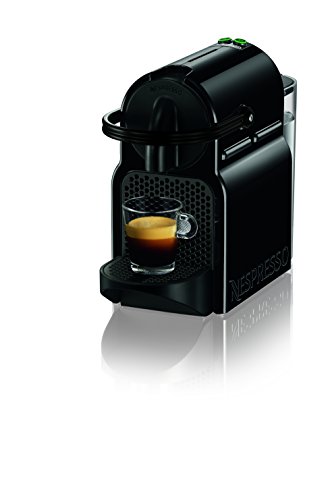
- Please refer to user guide or user manual or user guide (provided…
- Versatile and smart coffee machine: Adjustable cup size with two…
- VERSATILE AND SMART COFFEE MACHINE: Adjustable cup size with two…
- The folding drip tray Accommodates larger cup sizes, and drops down…
Common Causes Of Orange Blinking
The orange blinking light on a Nespresso machine signals an issue needing attention. Understanding common causes helps fix the problem quickly. This section explains four typical reasons behind the orange blinking light. Each cause affects the machine differently and requires specific actions to resolve.
Handle Not Fully Locked
The handle must be fully locked for the machine to start. A loose handle triggers the orange blinking light. Push the handle down firmly until you hear a click. This locks the capsule in place and stops the blinking light. Always check the handle before starting the machine.
Capsule Blockage
A stuck or damaged capsule can block the machine’s mechanism. This causes the orange light to blink as a warning. Open the machine and remove the capsule carefully. Check for coffee grounds or debris blocking the internal parts. Clean or replace the capsule to clear the blockage.
Descale Mode Active
The orange blinking light may show if the machine is in descale mode. Descaling removes mineral buildup inside the machine. Follow the manufacturer’s instructions to complete the descaling process. Run the rinse cycle afterward to reset the machine and stop the blinking light.
Barcode Reader Issues
Nespresso machines read capsule barcodes to adjust brewing settings. Dirt or residue on the barcode reader can cause errors. Clean the barcode reader gently with a damp cloth. Avoid using strong cleaners or soaking the machine. A clean reader stops the orange blinking and ensures proper brewing.
Quick Fixes To Try First
The blinking orange light on your Nespresso machine can be frustrating. It often signals a simple issue. Before calling for help, try these quick fixes. They can save time and get your coffee flowing again fast.
Start with easy steps that require no tools. These fixes work for many common problems. Follow each carefully and check if the light stops blinking.
Lock And Unlock The Handle
Open the machine’s handle fully. Then close it firmly until you hear a click. This ensures the handle locks in place properly. A loose or incomplete lock can trigger the orange light. Press down hard on the handle and lock it again. This often resets the error.
Restart The Machine
Turn off your Nespresso machine. Unplug it from the power outlet. Wait about 30 seconds to 1 minute. Plug it back in and turn it on. Restarting clears minor electronic glitches. This simple reset may stop the blinking orange light immediately.
Clear Capsule Blockages
Open the head of the machine. Remove the coffee capsule carefully. Check for stuck capsules or coffee grounds inside. Gently spin the part that punctures the capsule to free any blockages. Clean any visible debris with a dry cloth. Blockages often cause the machine to warn you by blinking orange.
Dealing With Descale Mode
The Nespresso blinking orange light often signals the machine is in descale mode. This mode helps remove mineral buildup inside your machine. Ignoring it can affect coffee taste and machine performance. Follow these steps to properly handle descale mode and keep your Nespresso running smoothly.
Completing the descale process is essential to reset the machine and stop the blinking light. Each step ensures the machine cleans well and returns to normal operation.
Run A Rinse Cycle
Start by running a rinse cycle after descaling solution use. Fill the water tank with fresh water. Place a container under the coffee outlet. Activate the rinse function according to your model’s instructions. This removes any remaining descaling liquid from the system.
Complete Descaling Process
Use the correct descaling solution recommended by Nespresso. Follow the machine’s prompts for adding the solution and water. Allow the entire solution to run through the machine. This clears out calcium and mineral deposits blocking water flow.
Exit Descale Mode Sequence
Once rinsing finishes, exit descale mode to stop the orange light. Press and hold the designated buttons on your machine. This varies by model, so check your manual. The light should stop blinking, indicating normal mode is active.
Force Reset If Stuck
If the orange light keeps blinking, try a force reset. Turn off the machine and unplug it. Wait for 10 seconds, then plug it back in. Press and hold the buttons needed for reset as per your model. This can clear errors and restore normal function.
Cleaning And Maintenance Tips
Keeping your Nespresso machine clean and well-maintained helps prevent issues like the blinking orange light. Regular care ensures the machine works smoothly and lasts longer. Follow these simple cleaning and maintenance tips to avoid common problems and enjoy great coffee every time.
Clean The Barcode Reader
The barcode reader scans each capsule to set brewing parameters. Dirt or coffee residue can block the scanner. Use a soft, damp cloth to gently wipe the reader inside the capsule compartment. Avoid using harsh chemicals or soaking the area. Cleaning the barcode reader often stops the blinking orange light caused by reading errors.
Regular Descaling
Mineral buildup inside the machine affects its performance. Descale your Nespresso regularly using a descaling solution made for coffee machines. Follow the instructions in your user manual carefully. Running a descaling cycle removes limescale, improving water flow and preventing error lights. Descaling every three months keeps your machine healthy.
Check Internal Mechanisms
Blockages or stuck parts inside the machine cause blinking lights. Open the head and remove any used capsule. Look for coffee grounds or debris around the puncturing mechanism. Gently spin or clean these parts to clear jams. Checking internal parts helps fix mechanical faults and keeps your Nespresso ready to brew.
Advanced Troubleshooting
Advanced troubleshooting can help solve persistent Nespresso blinking orange light issues. This guide covers steps beyond basic fixes. It aims to resolve electronic glitches or hardware faults.
Follow these instructions carefully for better machine performance. Understanding these methods reduces the need for repairs or replacements. Keep your coffee maker running smoothly.
Factory Reset For Electronic Errors
Performing a factory reset clears the machine’s memory. It helps fix software bugs causing the orange light to blink. To reset, turn off the machine first.
Hold down the main button for about five seconds. Release it when the light flashes rapidly. The machine will restart and reset to factory settings.
This process often solves errors related to the electronics. It can stop the blinking orange light if caused by system glitches. Try this step before seeking professional help.
When To Contact Support
Contact Nespresso support if the orange light keeps blinking. Persistent blinking may indicate hardware failure or serious internal issues. Do not attempt repairs beyond your skill level.
Support can guide you through advanced diagnostics or arrange repairs. They have tools and expertise for complex problems. Reach out if factory reset and cleaning steps fail.
Keep your machine model number and purchase details ready. This information speeds up the support process. Professional help ensures your machine is fixed safely and correctly.
Frequently Asked Questions
How Do I Fix The Orange Blinking Light On My Nespresso?
To fix the orange blinking light on your Nespresso, lock the handle firmly, check for capsule blockages, and run a rinse cycle. Clean the barcode reader and descale the machine regularly. Perform a factory reset if needed. Contact Nespresso support if the issue persists.
How Do I Get My Nespresso Out Of Descale Mode?
To exit descale mode on your Nespresso, press and hold the button for 7 seconds. The light will stop blinking. Then, run a rinse cycle to reset the machine. Your Nespresso will return to normal operation after completing these steps.
What If The Orange Light Keeps Blinking?
A blinking orange light on a Nespresso machine signals an issue. Check if the handle is fully locked. Remove any capsule and clear blockages by spinning the puncture mechanism. Run a rinse cycle if stuck in descale mode. Clean the barcode reader and descale regularly.
Contact support if the light persists.
Why Is My Nespresso Blinking Orange On Reddit?
Your Nespresso blinks orange due to a locked handle, capsule blockage, or cleaning mode. Unlock the handle, clear blockages, or run a rinse cycle to fix it. Clean the barcode reader and descale if needed. Contact Nespresso support if the issue persists.
Conclusion
The blinking orange light on your Nespresso signals a problem. Start by checking the handle and removing any blockages. Run a rinse cycle or try a factory reset if needed. Clean the barcode reader and descale regularly to avoid issues.
Persistent blinking might mean a mechanical fault. Contact Nespresso support for help if the light stays on. These steps keep your coffee machine working smoothly every day.

Hi, this is Cynthia A. Rose. Welcome to my Grinder related blog. Usually, I am busy with my kitchen and cooking all day. My main desire is to create a new recipe every day. But I have to use new tools every day to create new recipes. In this blog, I will share you how to use kitchen tools properly. I will not just share cooking related equipment, I will try to review all kinds of grinders like angle grinder among you. I hope my 12 years of experience will come in handy. Thanks!