Skip to content
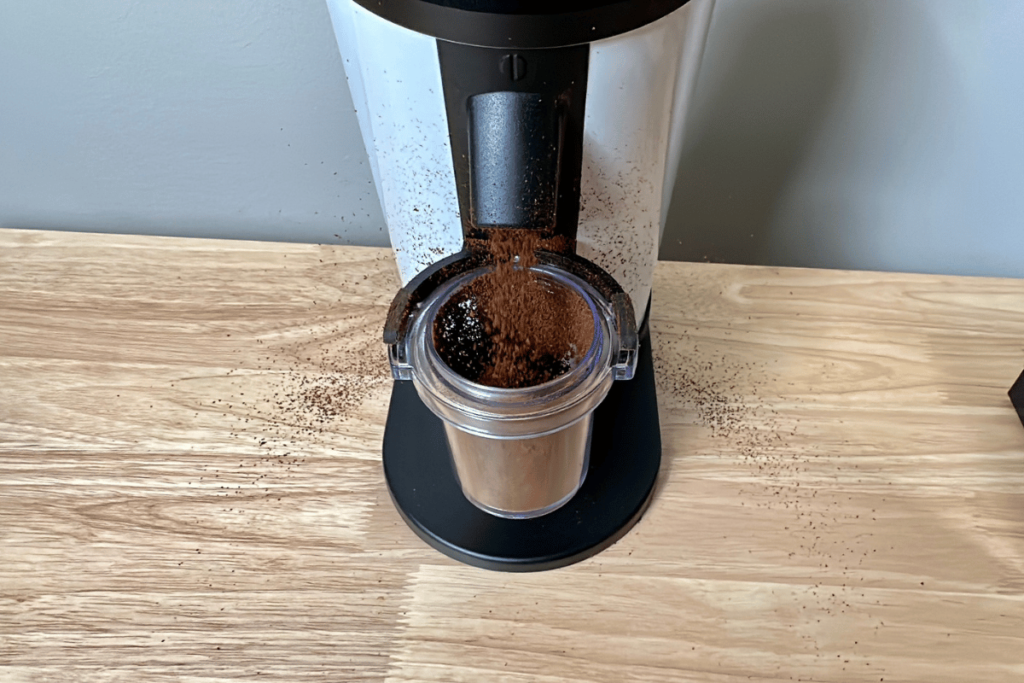
If you’ve ever ground coffee only to find your kitchen counter covered in clinging coffee dust and your grounds scattered everywhere, you’ve met coffee grinder static. It’s that annoying static electricity that makes your fresh grounds stick to the grinder and fly around like they have a mind of their own.
But what if you could stop this mess before it starts? Imagine smoother grinding, less cleanup, and better coffee flavor without the static chaos. You’ll discover simple, effective tricks to control and reduce static in your coffee grinder—techniques that anyone can use, no fancy gadgets needed.
Keep reading, and you’ll turn your grinding routine into a cleaner, more enjoyable part of your daily coffee ritual.
You May Like
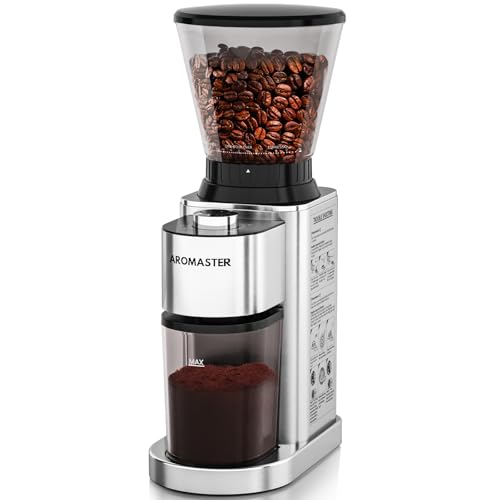
- 48 Grind Settings and Large Capacity : The Aromaster electric coffee…
- High Quality Stainless Steel : Aromaster’s stainless steel burrs are…
- Upgraded Anti-static Technology : Prevents coffee grounds from flying…
- Blockage Prevention and Easy Cleaning : The coffee bean grinder comes…
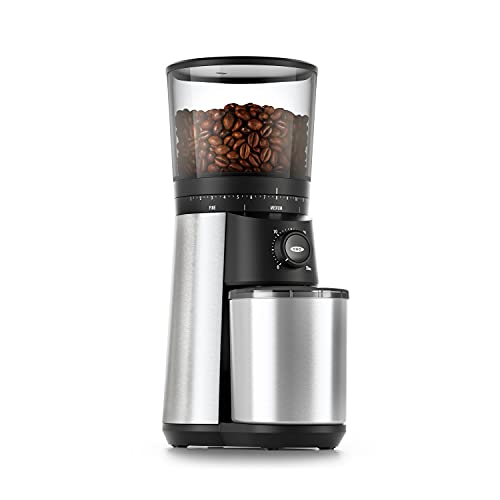
- Stainless steel conical burrs: Precision grinding system produces…
- 15 grind settings (plus micro-adjustments): Easily customize your…
- One-touch start: The Conical Burr Coffee Grinder remembers your last…
- Brew bigger: Large removable hopper holds up to 12 ounces of coffee…

- The burr coffee grinders adopt a new generation of DC motors
- 35 Precision Grinding: Adjustable burr grinder with multiple grind…
- Capacity & Design: Large transparent bean hopper and ground coffee…
- Easy Operation: Simple dial control system allows you to select your…
- Consistent Results: Premium burr grinding mechanism ensures uniform…
- [ PRECISION ELECTRONIC TIMER & TOUCHSCREEN PANEL ] – Precision…
- [ CHOOSE FROM 48 GRIND SETTINGS ] – This coffee bean grinder is…
- [ UPGRADE ANTI-STATIC CONICAL BURR COFFEE GRINDER ] – The anti-static…
- [ LARGE BEAN HOPPER ] – Our espresso grinder comes with a 9.7 oz…
Credit: craftcoffeespot.com
Causes Of Grinder Static
Static electricity in coffee grinders can be frustrating. It causes grounds to scatter and stick to surfaces. Understanding what causes this static helps reduce mess and waste. Several factors inside and outside the grinder create static buildup.
Dry Air And Low Humidity
Static grows stronger in dry air. Low humidity means less moisture in the air. Without enough moisture, static charges build up easily. Coffee grinders in dry rooms often have more static problems. Adding moisture to the environment can lower static levels.
Bean Moisture Content
The moisture inside coffee beans affects static too. Very dry beans tend to create more static. Moist beans release less static charge during grinding. Beans stored too long or in dry places lose moisture. Using fresh beans with balanced moisture reduces static issues.
Grinder Material And Design
The materials used in grinders impact static buildup. Plastic parts hold static charges more than metal parts. Grinders with metal catch bins help reduce static. The design of the grinder also matters. Some designs cause more friction, increasing static electricity.
Grinding Speed And Heat
Faster grinding speeds create more static. High speed increases friction between beans and grinder parts. This friction generates heat and static electricity. Heat dries the coffee grounds, making static worse. Slower grinding or taking breaks can help reduce static buildup.
Ross Droplet Technique (rdt)
The Ross Droplet Technique (RDT) is a simple way to reduce static in coffee grinders. It helps stop coffee grounds from sticking to the grinder and making a mess. This method uses just a small amount of water to control static electricity during grinding.
Adding Water Drops To Beans
Start by placing your coffee beans in a bowl or grinder. Add one or two drops of clean water to the beans. Do not add more water as it can make the beans wet. The small water droplets help reduce static electricity buildup.
Stirring Before Grinding
After adding water, stir the beans gently. Stirring spreads the water evenly over the beans. This step ensures the water coats each bean lightly. Proper mixing helps the static charge to reduce before grinding.
Benefits Of Rdt
RDT reduces static cling during grinding. It keeps your coffee grounds from flying everywhere. Less static means cleaner counters and less waste. The technique also improves the consistency of ground coffee. It works well with all types of grinders.
Humidity Control
Controlling humidity plays a key role in reducing static in coffee grinders. Static causes coffee grounds to stick and scatter, making the process messy. Proper humidity balances the moisture in the air. This prevents static buildup during grinding. Small changes in humidity can improve your coffee experience.
Using A Humidifier
A humidifier adds moisture to dry air. This helps lower static electricity inside the grinder. Place a humidifier near your coffee station. Keep the room humidity between 40% and 60%. This range is ideal for coffee grinding. Avoid very dry or overly damp conditions. Consistent humidity reduces static and keeps grounds from flying.
Ideal Environment For Grinding
Choose a cool, stable environment for your grinder. Avoid rooms with dry heating or air conditioning. These systems dry out the air, increasing static. A kitchen or pantry with natural moisture works best. Avoid direct sunlight or heat near the grinder. This can cause static and affect grind quality. A balanced environment leads to cleaner, easier grinding.
Credit: www.youtube.com
Metal Catch Bins
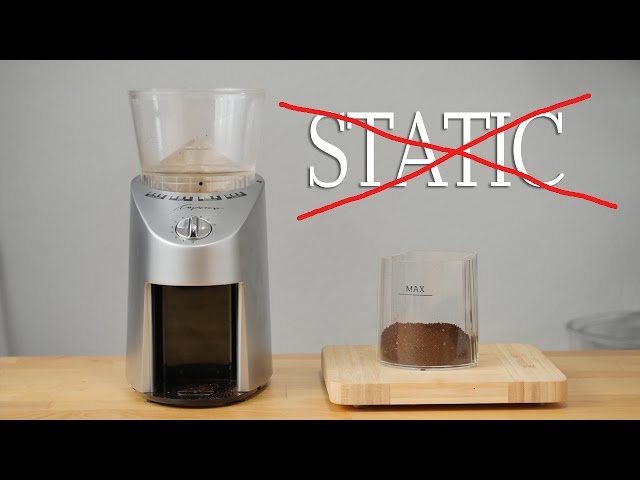
Metal catch bins play an important role in managing static in coffee grinders. Unlike plastic bins, metal bins help reduce static buildup by conducting electricity. This feature makes metal catch bins a practical choice for coffee lovers who want less mess and better grinding results.
Static can cause coffee grounds to stick to the bin and scatter, making cleanup hard. Metal catch bins help the electric charges move away from the grounds. This reduces clumping and keeps your workspace cleaner.
Static Dissipation Properties
Metal catch bins are good at dispersing static electricity. Metal is a conductor, so it allows electric charges to flow and leave the surface. This lowers static buildup that normally happens with plastic bins.
The smooth metal surface prevents coffee grounds from sticking too much. It helps keep the grounds settled inside the bin. This means fewer grounds fly out and less waste.
Choosing The Right Catch Bin
Choose a metal catch bin that fits your grinder well. It should be the right size and shape to catch all grounds. A tight fit reduces spills and static issues.
Look for bins made of stainless steel or aluminum. These metals resist rust and are easy to clean. Avoid bins with rough edges that can trap grounds and increase static.
Simple designs work best. Avoid bins with many corners or joints. They are harder to clean and may hold static longer.
Post-grinding Tips
After grinding your coffee, some simple steps help reduce static and improve your brew. These post-grinding tips make handling grounds easier and keep your grinder clean. Follow these easy methods to enjoy a better coffee experience every time.
Waiting And Tapping Grounds
Let the coffee grounds sit in the catch bin for a few minutes. This pause allows static electricity to fade naturally. After waiting, gently tap the grinder or bin against the counter. This action helps release any clinging grounds stuck by static. It also prevents mess and waste.
Allowing Grinder To Cool
Grinding heats up the burrs and parts inside your grinder. Heat can increase static cling among the coffee grounds. Pause between grinding batches to let your grinder cool down. Cooling reduces static build-up and protects your grinder from overheating. This step improves grind consistency and cleanliness.
Additional Static Reduction Hacks
Static electricity in coffee grinders can be a real nuisance. It causes coffee grounds to stick and scatter everywhere. Beyond common fixes, some extra tricks help cut down static further. These simple hacks improve your coffee experience and keep your kitchen cleaner.
Slow Grinding Techniques
Grinding coffee slowly reduces static buildup. A slower speed means less friction between beans and grinder parts. This lowers the chance of static charge forming. Take your time and avoid rushing the process. A gentle, steady grind helps keep grounds from flying around. It also ensures a more even grind size, improving flavor.
Avoiding Plastic Components
Plastic parts in grinders increase static electricity. Plastic does not conduct electricity well, so static builds up easily. Switch to grinders with metal or glass parts when possible. Metal surfaces help discharge static quickly. Using metal catch bins or containers under the grinder also works well. This simple change cuts down static and mess after grinding.
Signs Of Grinder Wear Affecting Static
Grinder wear can increase static electricity in your coffee grinder. This affects how the grounds behave and the quality of your brew. Recognizing signs of wear helps keep your coffee fresh and flavorful. Pay attention to changes in flavor, temperature, and grind consistency. These hints reveal when your grinder needs maintenance or part replacement.
Dull Flavor And Overheating
Dull flavor often means your grinder burrs are worn. Worn burrs crush beans unevenly, causing inconsistent extraction. Overheating is another sign. When burrs dull, the grinder works harder, producing heat. Heat can damage coffee oils and increase static, making grounds stick to the grinder. This reduces taste quality and brewing enjoyment.
Clumping And Finer Grind Needs
Static causes grounds to clump inside the grinder. When burrs wear down, they create more fine particles. These fines stick together and create clumps. Clumping slows down the flow of coffee and changes the flavor. You may notice you need a finer grind setting to get the same result. These changes point to burr wear affecting static and grind quality.
When To Replace Burrs
Replace burrs if you see dull edges or uneven wear. Also consider replacement after grinding around 500 to 800 pounds of coffee. Signs like more static, clumping, and overheating mean burrs are past their prime. Changing burrs restores grind consistency and reduces static. This keeps your coffee tasting fresh and your grinder running smoothly.

Credit: miicoffee.shop
Video Resources For Static Solutions
Static electricity in coffee grinders causes mess and uneven grounds. Videos offer clear, visual guides to reduce static effectively. Watching experts and community members helps understand simple, practical solutions.
These video resources cover techniques like the Ross Droplet Technique and other helpful tips. They show step-by-step methods anyone can try at home. Learning through videos makes the process easier and more reliable.
James Hoffmann’s Rdt Demonstration
James Hoffmann shows the Ross Droplet Technique (RDT) in detail. He adds one or two drops of water to coffee beans before grinding. This small step reduces static and prevents grounds from sticking. The video is short and easy to follow, perfect for beginners.
Seattle Coffee Gear Static Guide
Seattle Coffee Gear provides a clear, step-by-step static guide. They explain how humidity affects static and suggest using a metal catch bin. Their video also covers quick fixes like tapping the grinder after use. It’s a practical resource for daily coffee makers.
Community Tips From Reddit And Youtube
Reddit and YouTube users share many tips on reducing grinder static. Ideas include spraying water lightly on beans and using handheld air blowers. Community videos offer honest, tested advice from real coffee lovers. Watching these clips adds diverse solutions to your coffee routine.
Frequently Asked Questions
How Do I Get Rid Of Static In My Coffee Grinder?
Add one or two drops of water to beans before grinding (Ross Droplet Technique). Use a metal catch bin and increase room humidity. After grinding, wait a few minutes and tap the grinder to release static. These steps reduce static buildup effectively.
How To Tell If A Burr Grinder Is Bad?
A bad burr grinder produces uneven grounds, loud noise, or jams frequently. It may also have inconsistent grind sizes and reduced performance.
Why Is Costco Getting Rid Of Coffee Grinders?
Costco is removing coffee grinders due to low demand and supply chain challenges. They focus on high-selling, popular products instead.
What Is The Life Expectancy Of A Coffee Grinder?
A coffee grinder typically lasts 3 to 5 years with regular use and proper maintenance. High-quality grinders may last longer.
Conclusion
Static in coffee grinders can be frustrating but manageable. Simple steps like adding a drop of water to beans help reduce static. Using a metal catch bin also lowers static buildup. Increasing room humidity makes a noticeable difference. Waiting a moment after grinding allows static to fade.
These easy tips improve your grinding experience daily. Enjoy cleaner grounds and less mess every time. Keep these tricks in mind for better coffee moments.

Hi, this is Cynthia A. Rose. Welcome to my Grinder related blog. Usually, I am busy with my kitchen and cooking all day. My main desire is to create a new recipe every day. But I have to use new tools every day to create new recipes. In this blog, I will share you how to use kitchen tools properly. I will not just share cooking related equipment, I will try to review all kinds of grinders like angle grinder among you. I hope my 12 years of experience will come in handy. Thanks!
Related posts:
 What to Know About the Grinder Plate When Making Hamburger?